
My phone won't register
Your desk phone or softphone shows an error or “not registered” instead of your Freesbe line.
Fix it
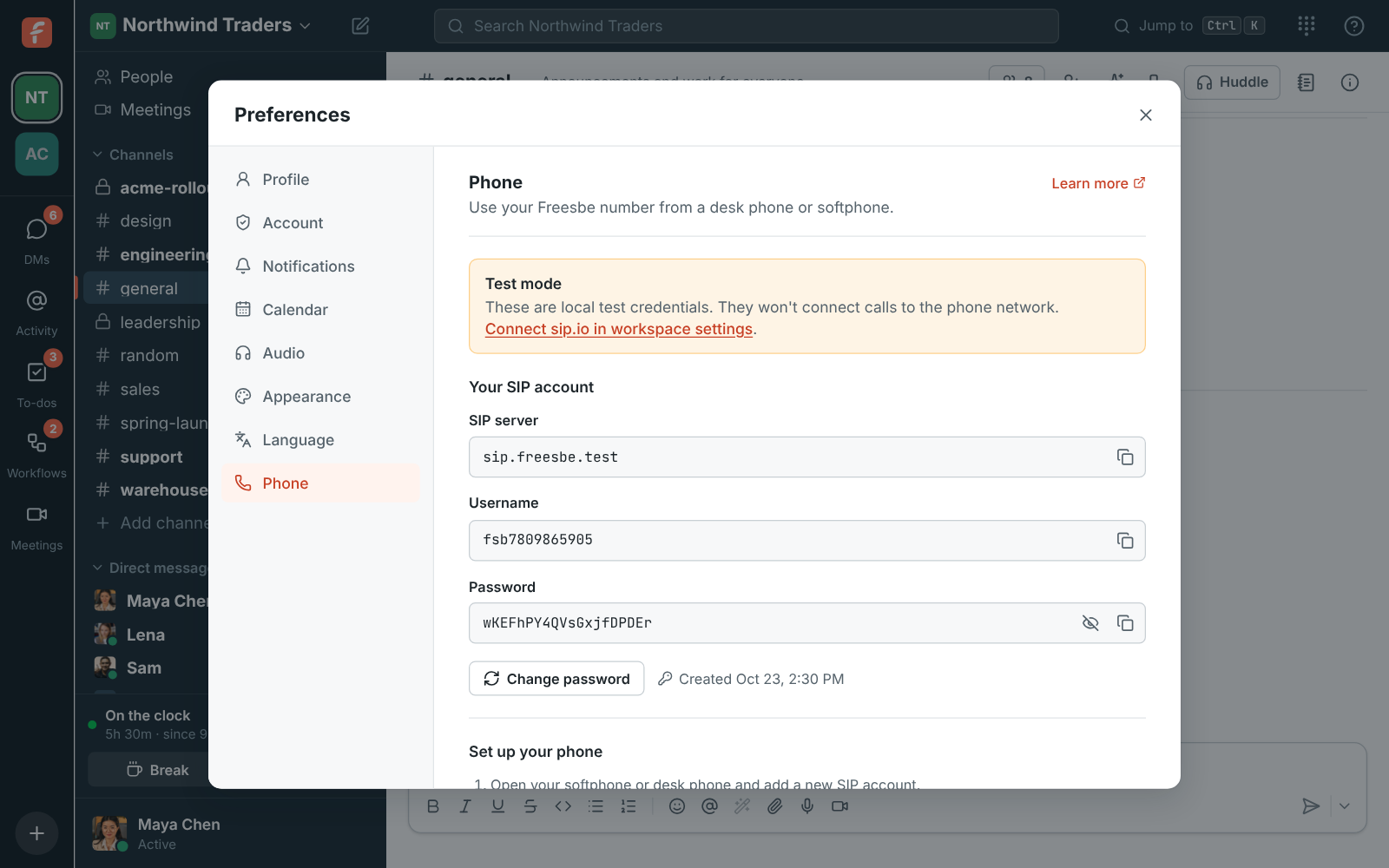
Section titled “Fix it”- Check the details match exactly. The SIP server, username and password in Preferences → Calls & audio → Phone must match what’s in your phone, character for character.
- Look for Test mode. If Preferences → Calls & audio → Phone says Test mode, your admin hasn’t connected the phone system yet, so the details won’t work on a real phone. Ask your admin.
- Changed your phone password? Enter the new one on every phone that uses it.
See Phone. Admins set up the phone system in Workspace settings → Phone → Phone system.
Answers come from the Freesbe guides and are written by AI, so check the linked guide before relying on one. Please don't include personal details such as emails or passwords.